Summary: in this tutorial, you will learn how to use PL/SQL FOR loop to execute a sequence of statements a specified number of times.
Introducing to PL/SQL FOR Loop
PL/SQL FOR loop is an iterative statement that allows you to execute a sequence of statements a fixed number of times. Unlike the PL/SQL WHILE loop, the number of iterations of the PL/SQL FOR loop is known before the loop starts.
The following illustrates the PL/SQL FOR loop statement syntax:
FOR loop_counter IN [REVERSE] lower_bound .. higher_bound
LOOP
sequence_of_statements;
END LOOP;Code language: SQL (Structured Query Language) (sql)Let’s examine the PL/SQL FOR loop syntax in greater detail:
- PL/SQL automatically creates a local variable
loop_counterwithINTEGERdata type implicitly in theFORloop so you don’t have to declare it. The scope of theloop_countervariable is within the loop itself so you cannot reference it outside the loop. After each iteration, PL/SQL increasesloop_counterby 1 and checks if theloop_counteris still in the range oflower_boundandhigher_boundto execute the next iteration. If theloop_counteris not in the range, the loop is terminated. - The
lower_bound..higher_boundis the range of integers thatFORloop iterates over. This range is known as iteration scheme. The range operator is specified by a double dot (..) between thelower_boundandhigher_bound. - The
FORloop evaluates the range when the loop first entered and never re-evaluated. Thelower_boundhas to be less than or equal to thehigher_bound. If thelower_boundis equal to thehigher_bound, the sequence of statements is executed once. If thelower_boundis larger than thehigher_bound, the sequence within the loop will never execute. Thelower_boundandhigher_boundcan be literals, variables, or expressions that evaluate to numbers. Otherwise, PL/SQL raises aVALUE_ERRORexception. - By default, the loop iterates in the upward fashion from the
lower_boundto thehigher_bound. However, if you want to force the loop to iterate in a downward way from thehigher_boundto thelower_bound, you can use theREVERSEkeyword after theINkeyword. - You must have at least one executable statement between
LOOPandEND LOOPkeywords.
Examples of PL/SQL FOR LOOP
In the first example, we print integers from 1 to 10 by using PL/SQL FOR loop as the code below:
SET SERVEROUTPUT ON SIZE 1000000;
DECLARE
  n_times NUMBER := 10;
BEGIN
  FOR n_i IN 1..n_times LOOP
    DBMS_OUTPUT.PUT_LINE(n_i);
  END LOOP;
END;
/Code language: SQL (Structured Query Language) (sql)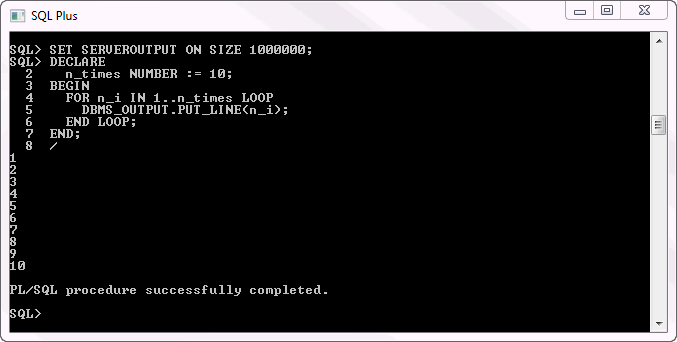
In the second example, we use the REVERSE keyword to print a list of integers in descending order.
SET SERVEROUTPUT ON SIZE 1000000;
DECLARE
  n_times NUMBER := 10;
BEGIN
  FOR n_i IN REVERSE 1..n_times LOOP
    DBMS_OUTPUT.PUT_LINE(n_i);
  END LOOP;
END;
/Code language: SQL (Structured Query Language) (sql)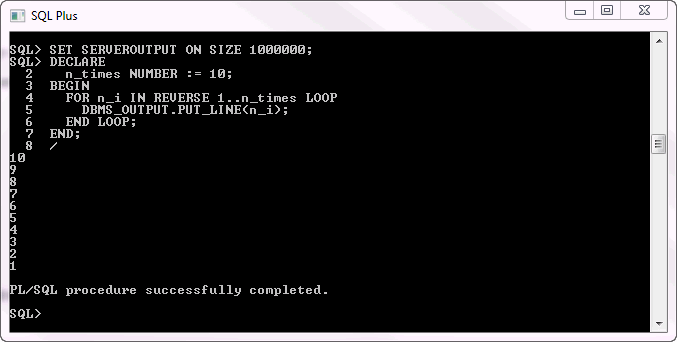
In this tutorial, you’ve learned how to use PL/SQL FOR loop statement to execute a statement a specified number of times.

